Hi Rhia - well done on getting to this stage - I think you've got some missed opportunities here in terms of camera POV and stronger compositions - for example at 37 sec you've got a big gap between the cell and the 'eye' - which looks weak compositionally; if you were to lower the camera and position it a bit behind the cell - so the camera is 'looking up' at the eye - you'll make for a better shot, and also a greater sense that the audience 'is' feeling what the cell is feeling as it arrives at the checkpoint. @57 secs, you've chopped the screen in half - the line between the doors is almost exactly dividing the screen in too - if you were to move the camera to the right and compose the shot so there isn't that great big half of 'nothing' on the left, this would be a better shot straight away. I think you need to look at every single shot you've composed in our pre-vis and just make sure that every shot is making the best use of composition and that you've not got lots of big empty spaces that aren't telling us anything. This isn't a comment designed to send you into a panic - it's a comment made possible by your pre-vis, which is the point of pre-vis, so look again at how you're filling/using the frame and ensure you're composing your shots dynamically.
(I also think that your cell could travel a little quicker along the conveyor - you risk making the audience impatient if it takes too long each time).
Thanks Phil, I know I need to clean up the animation and cameras a bit so I'll get on it ASAP. I also had a bit a problem with the cell half way so I had to take out all it's key frames and start again.
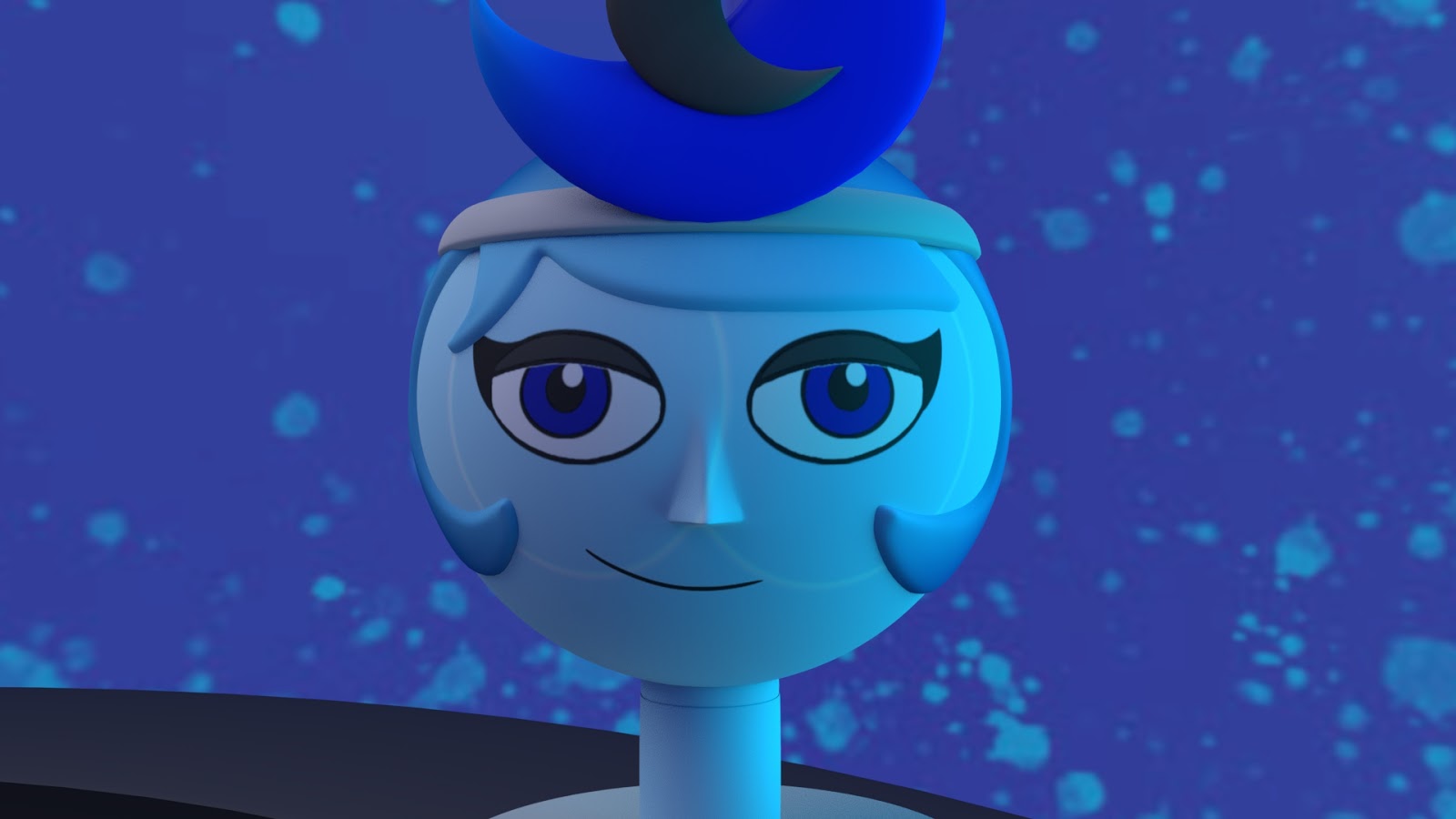
After presenting my ideas for my animation I was given the idea of making the characters of the Sun and Moon look like paper lanterns. This idea would fit in with giving the story a sense of history and culture along with helping me to think about the overall designs of the characters.
For the start of our Script To Screen project we picked at random three different elements that have to feature in our animation, these different elements were a character, location and a prop. For my animation I have to included: Character - Light House Keeper Location - Cemetery Prop - Food Blender
I seem to be having a problem with the eye textures as a white ring appears around the eye where it should be blending in to the base head texture. White rings on Moon White rings on Sun I did have this problem before with the Sun model and the way I fixed it was to redo the eye shapes so that they were saved with the base texture when I flattened the image. However, it seems that this has no lasted as both characters have this issue after I imported them in to the stage scene to started animating. I might resave the textures for the file and replug them in, but I'm worried that after I start to move the files uni to home and back again the problem might happen again.

Hi Rhia. I hate to be that guy but its called "Pre-Viz" :)
ReplyDeleteD'oh! This is what happens when I post things half a sleep, thanks.
DeleteHi Rhia - well done on getting to this stage - I think you've got some missed opportunities here in terms of camera POV and stronger compositions - for example at 37 sec you've got a big gap between the cell and the 'eye' - which looks weak compositionally; if you were to lower the camera and position it a bit behind the cell - so the camera is 'looking up' at the eye - you'll make for a better shot, and also a greater sense that the audience 'is' feeling what the cell is feeling as it arrives at the checkpoint. @57 secs, you've chopped the screen in half - the line between the doors is almost exactly dividing the screen in too - if you were to move the camera to the right and compose the shot so there isn't that great big half of 'nothing' on the left, this would be a better shot straight away. I think you need to look at every single shot you've composed in our pre-vis and just make sure that every shot is making the best use of composition and that you've not got lots of big empty spaces that aren't telling us anything. This isn't a comment designed to send you into a panic - it's a comment made possible by your pre-vis, which is the point of pre-vis, so look again at how you're filling/using the frame and ensure you're composing your shots dynamically.
ReplyDelete(I also think that your cell could travel a little quicker along the conveyor - you risk making the audience impatient if it takes too long each time).
Thanks Phil, I know I need to clean up the animation and cameras a bit so I'll get on it ASAP. I also had a bit a problem with the cell half way so I had to take out all it's key frames and start again.
Delete